
BR /Future of Work · Software Collaboration
GitHub previews a pull request overview that surfaces review blockers
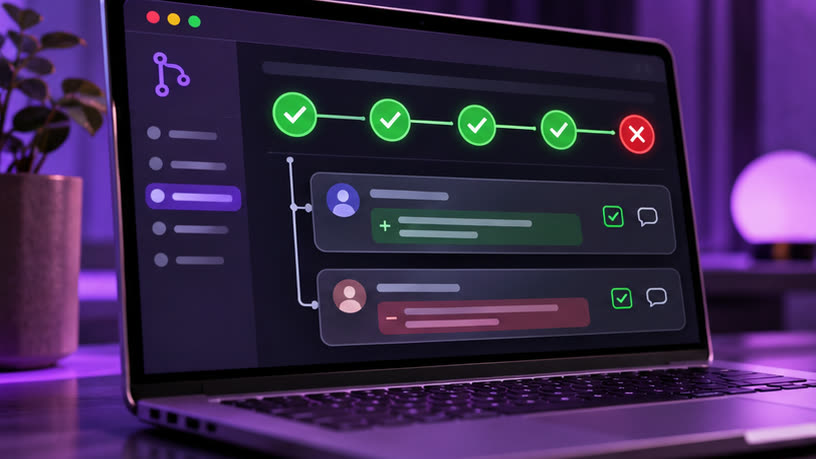
An optional layout puts checks, approvals and open conversations near the top of a pull request, giving reviewers a shorter route back to unfinished work.
What happened
GitHub introduced an opt-in public preview of a redesigned pull request overview on November 5. A compact section near the top shows merge readiness and available next actions. Reviewers can move from it to a failing check, a missing approval or the discussion that needs a reply.
The preview adds ways to filter for unresolved conversations or a reviewer's own comments, and to show recent comments first. That matters on a change spanning several days. A reviewer returning after a new commit can locate the original question and check whether the author addressed it.
Source: GitHub's pull request Overview preview announcement.
BELL RIVER perspective · Editorial analysis
What it means for business
For a team working across time zones, try the layout on a pull request that actually changes hands overnight. Ask the incoming reviewer to identify the remaining decision and its owner. Their answer is a better test of the handover than the number of comments on the page.
- Open the failing check before sending a request back to the author.
- Use unresolved conversations to find work another reviewer started.
- Leave a handover note for decisions that still need context.
The redesigned page is a public preview. Users can switch back to the classic overview while the preview is running.
Sources & editorial note
This brief summarises a third-party announcement. The business perspective is BELL RIVER’s interpretation, not a vendor claim or a report of a BELL RIVER client project.